Sync
Sync copies your data between devices through your own Google Drive. It’s encrypted on your phone first, so only your devices can read it.
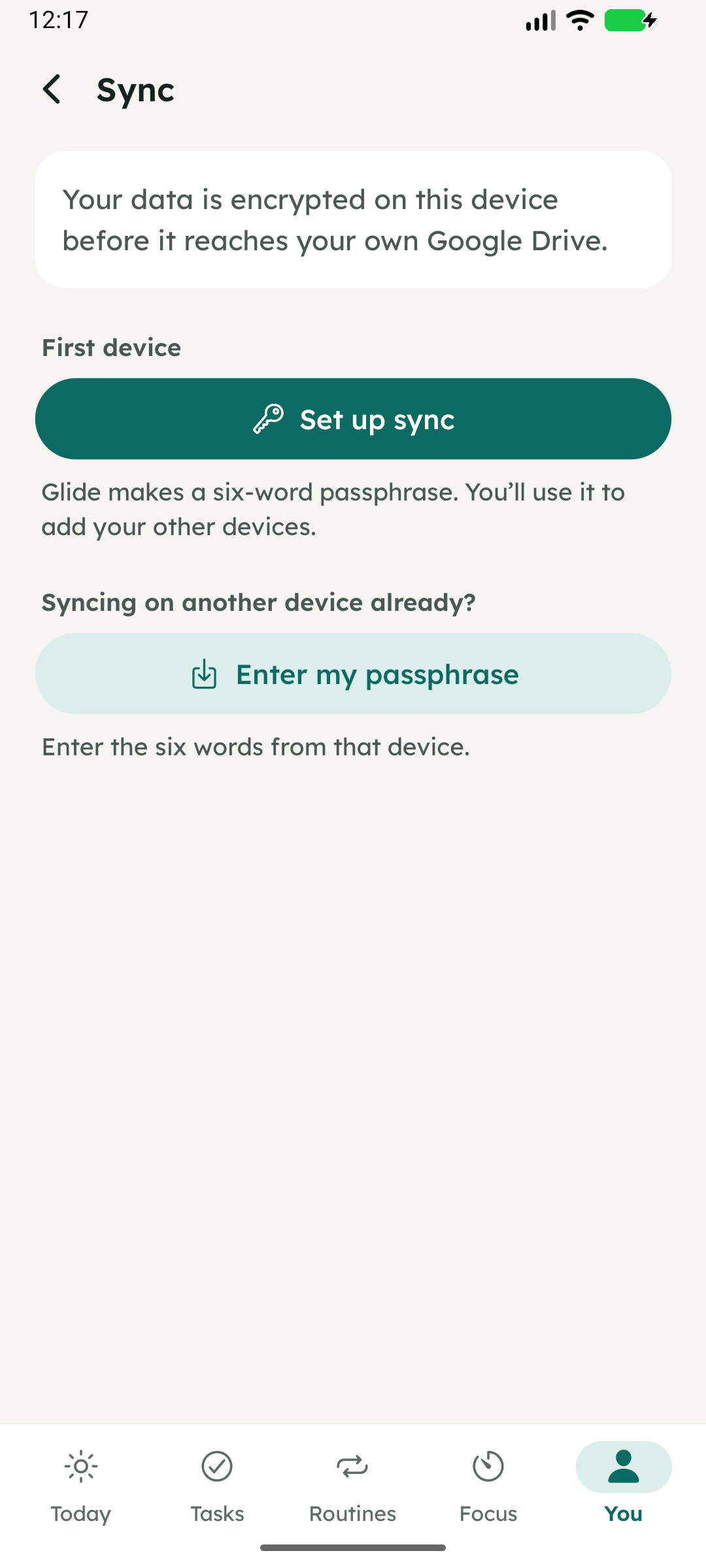
Setting up
- On your first device, open You → Sync and tap Set up sync. Glide creates a six-word passphrase.
- Save the passphrase somewhere private, such as a password manager.
- Connect Google Drive. Glide syncs on its own from then on.
Adding another device
Open You → Sync, tap Enter my passphrase, type the six words, and connect the same Google Drive. Your data arrives within a minute or two, or straight away if you tap Sync now.
When it syncs
When you open Glide or come back to it, a minute after you change something, and every few minutes while it’s open. Sync now runs it straight away. The status line shows when it last ran and whether changes are waiting.
Your passphrase
Your data is encrypted with AES-256 using a key made from your passphrase, before it leaves your phone. Glide has no servers and can’t read it. If you lose the passphrase, the synced copy can’t be read; the data on each device is unaffected.
Turning it off
Turn off sync on this device forgets the passphrase on that device. The synced copy stays in your Google Drive, and the passphrase reconnects it.