Focus
A timer for focused work: pick a length, start, and let the chimes keep time.
Starting a session
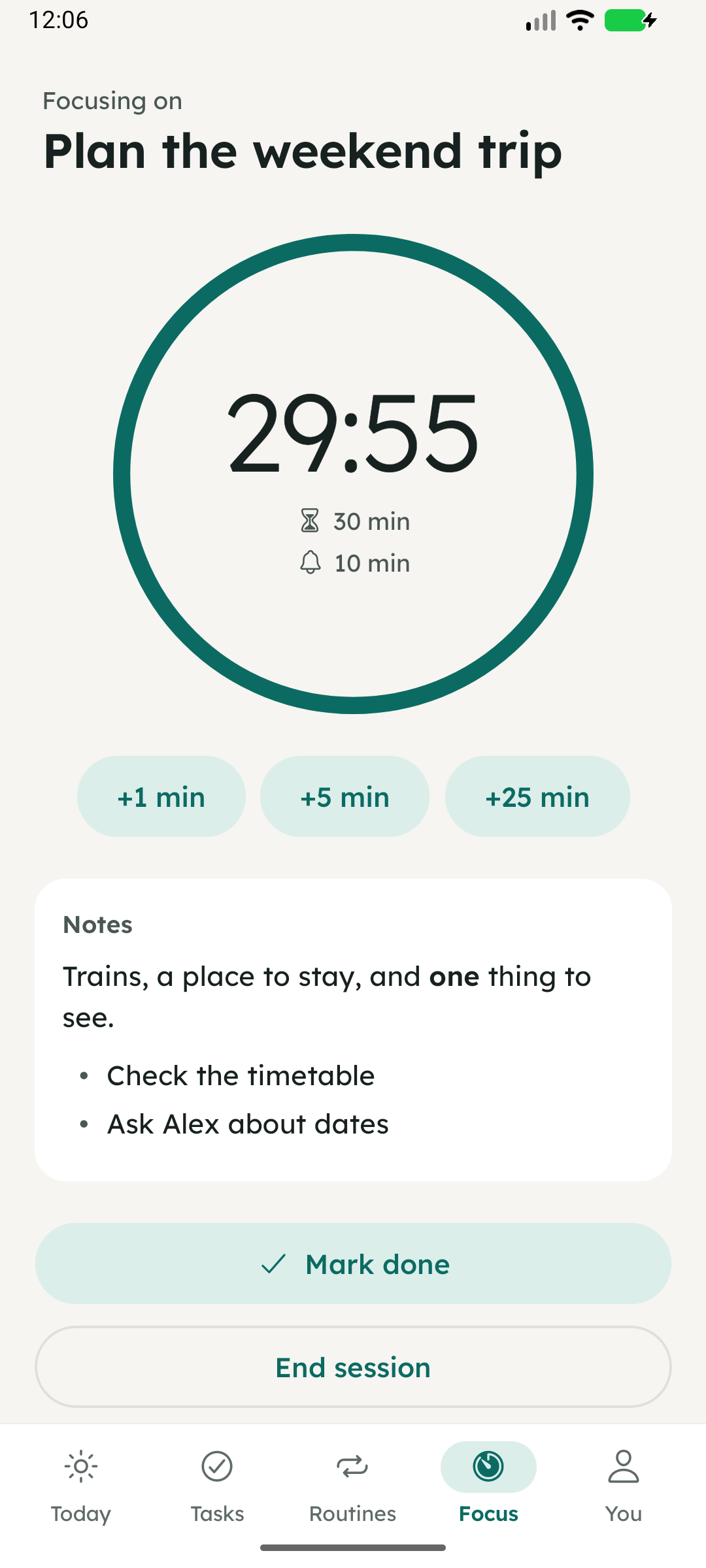
Set a length from 30 seconds to 60 minutes and tap Start. From a task, the timer starts with the task’s estimate and shows its title and notes.
During a session
The ring shows time left; below it are the session length and the chime interval. Add 1, 5 or 25 minutes if you need more. With a task, Mark done finishes it and asks whether to end the session.
Chimes
In You → Focus, choose a chime every 1, 5 or 10 minutes, and a sound, vibration or nothing at the end. Chimes are scheduled as alarms, so Android may ask you to allow alarms and reminders.
When it helps
- Starting something you’ve been avoiding: commit to the session, not the whole task.
- Putting a limit on a task that tends to expand.
- Timing meditation or exercise with the screen off.